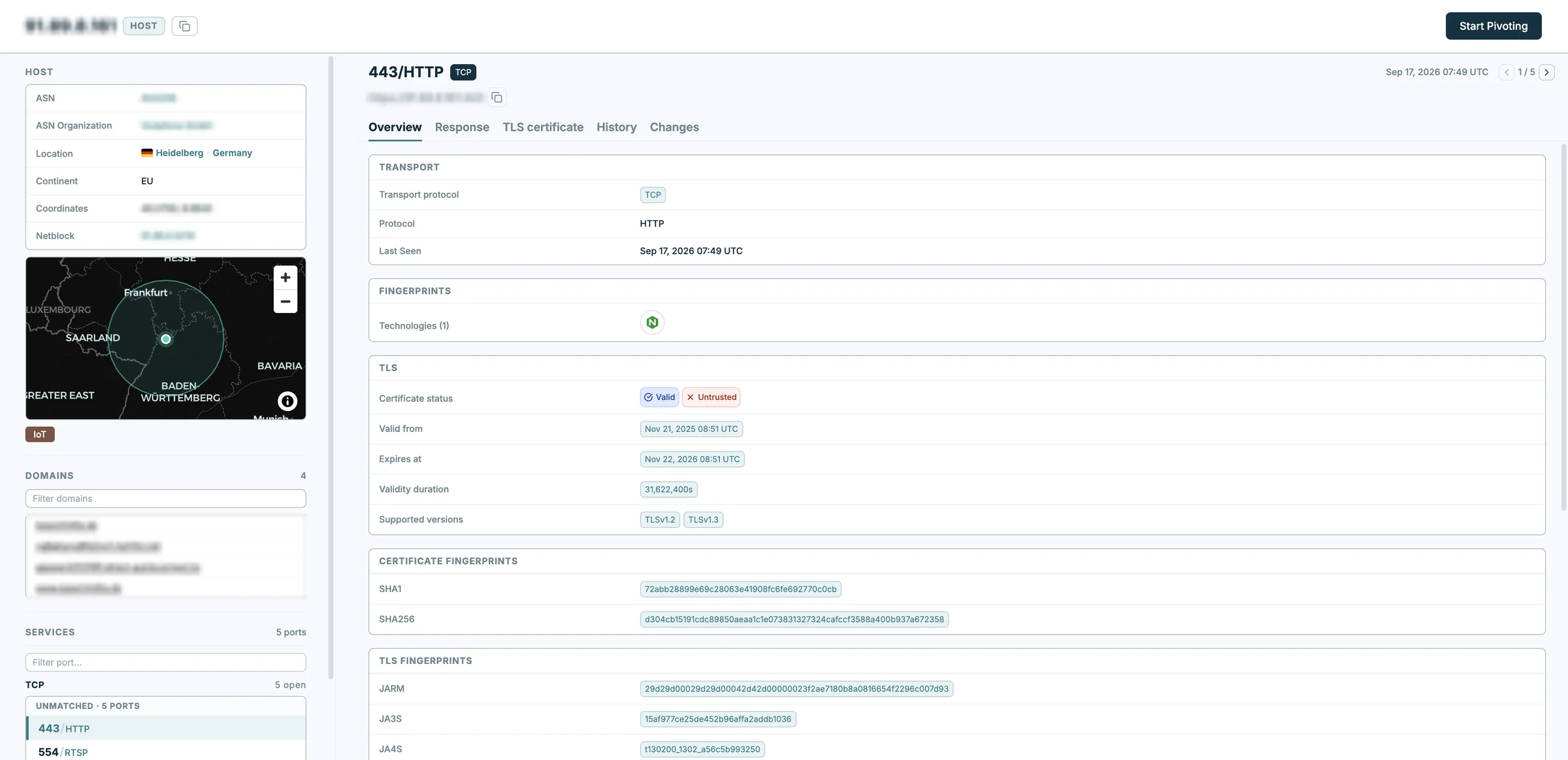
Over the past four weeks we have made Magnify quicker to work in: a host page that’s easier to move around, exports you can shape, and a history for every host. Here is what is new in Modat Magnify.
A Host Page That’s Easier to Move Around
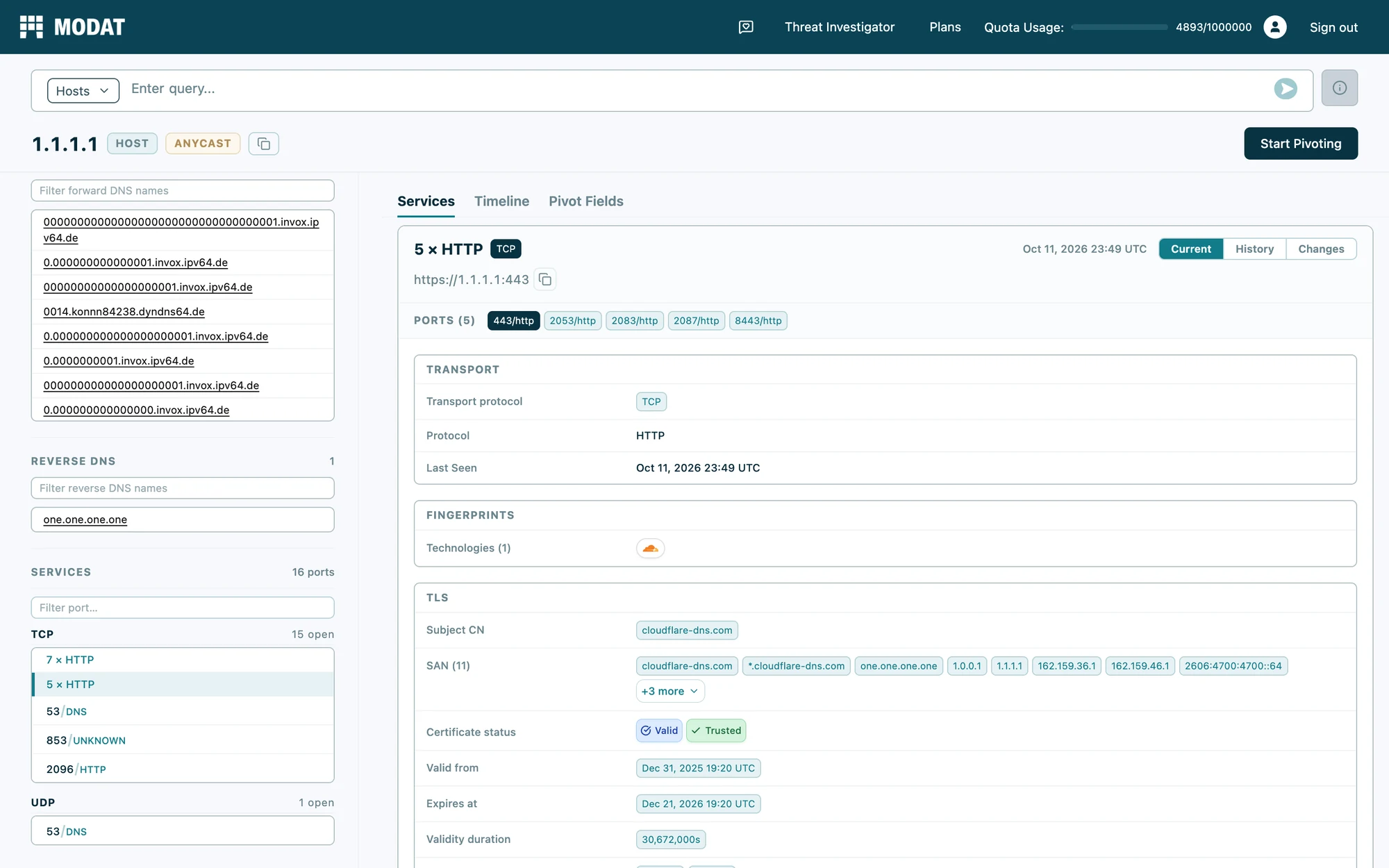
All services sit on one scrolling page, with a sidebar to jump between them and a link you can share for each service. The new Pivot Fields tab lists every field you can pivot on in one table: tick the values you want and Magnify builds the query. You can also start a new search straight from the host page, without going back to the results.
Search by Reverse DNS
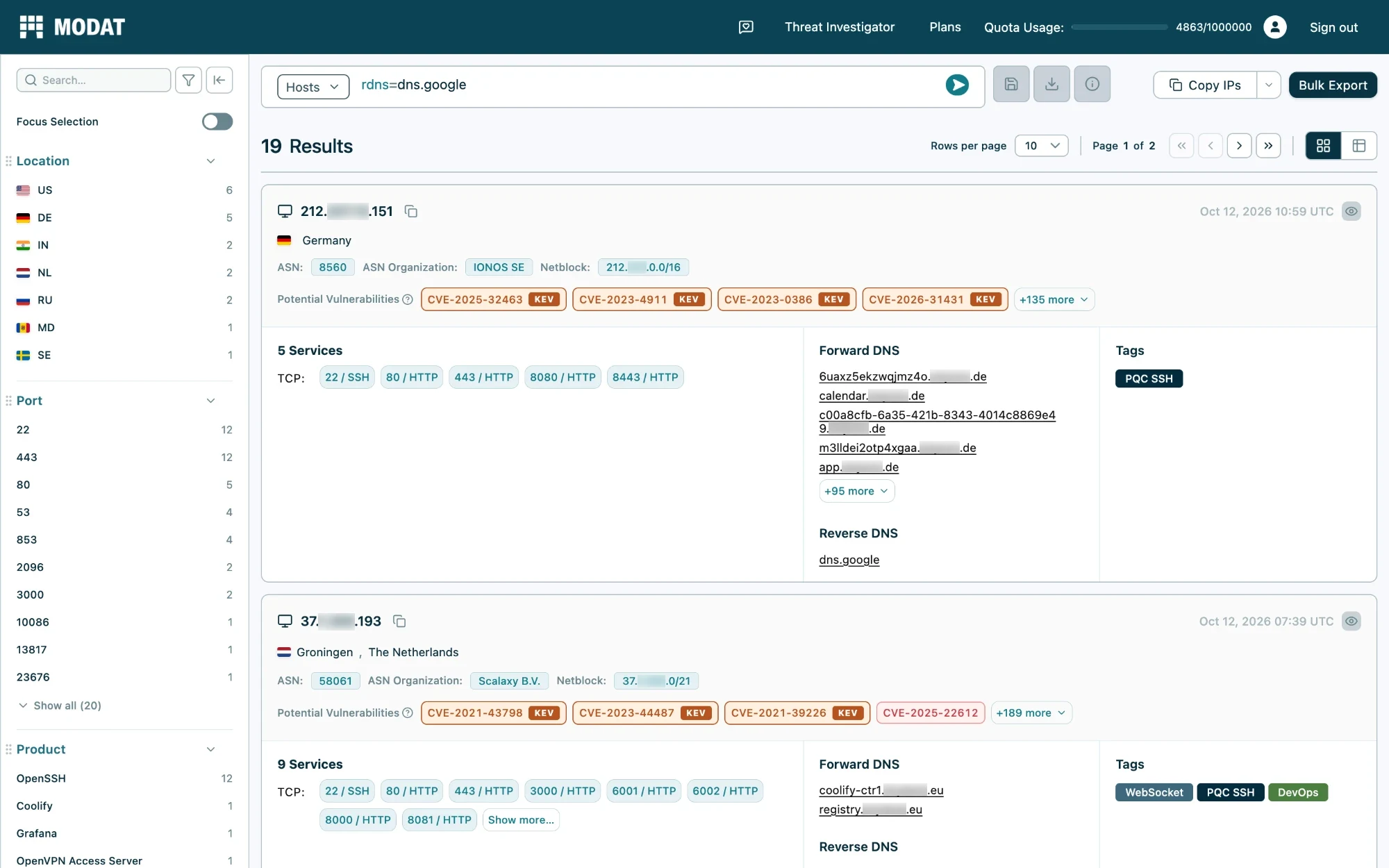
A new rdns field searches the name an IP address resolves back to, on both host and service search, for example rdns=dns.google. It works next to fqdns for forward DNS, with the same operators. Reverse DNS is set by whoever controls the IP range, usually the hosting provider, which makes it a good way to identify where infrastructure is hosted.
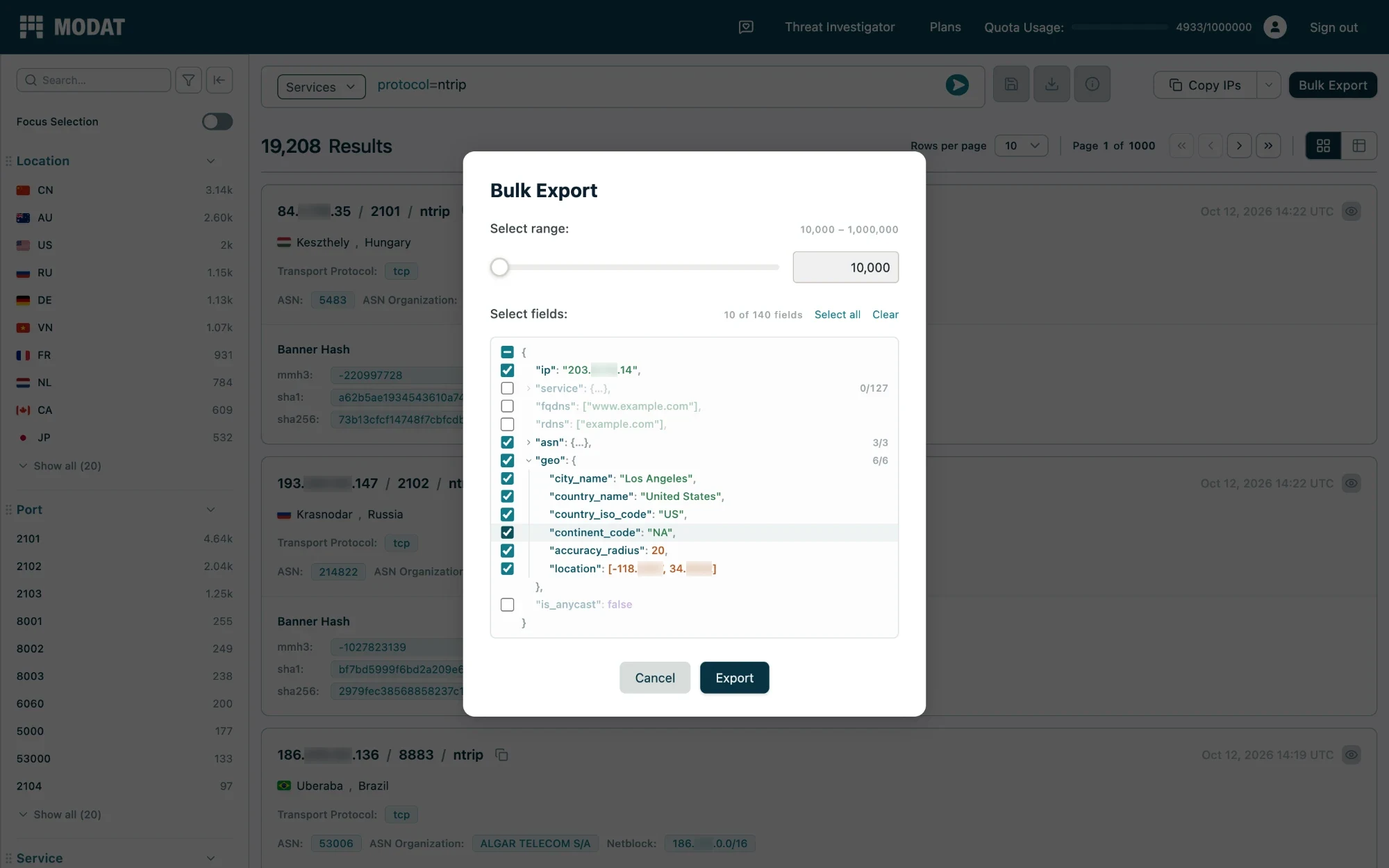
Choose What Goes Into a Bulk Export (Enterprise)
Pick the fields you want before exporting and check a sample record first, so files only hold the data you need. Exports are also several times faster and download as smaller, compressed files, and host exports now hold the full host record with every service on it.
Look Back Through a Host’s History (Professional and Enterprise)
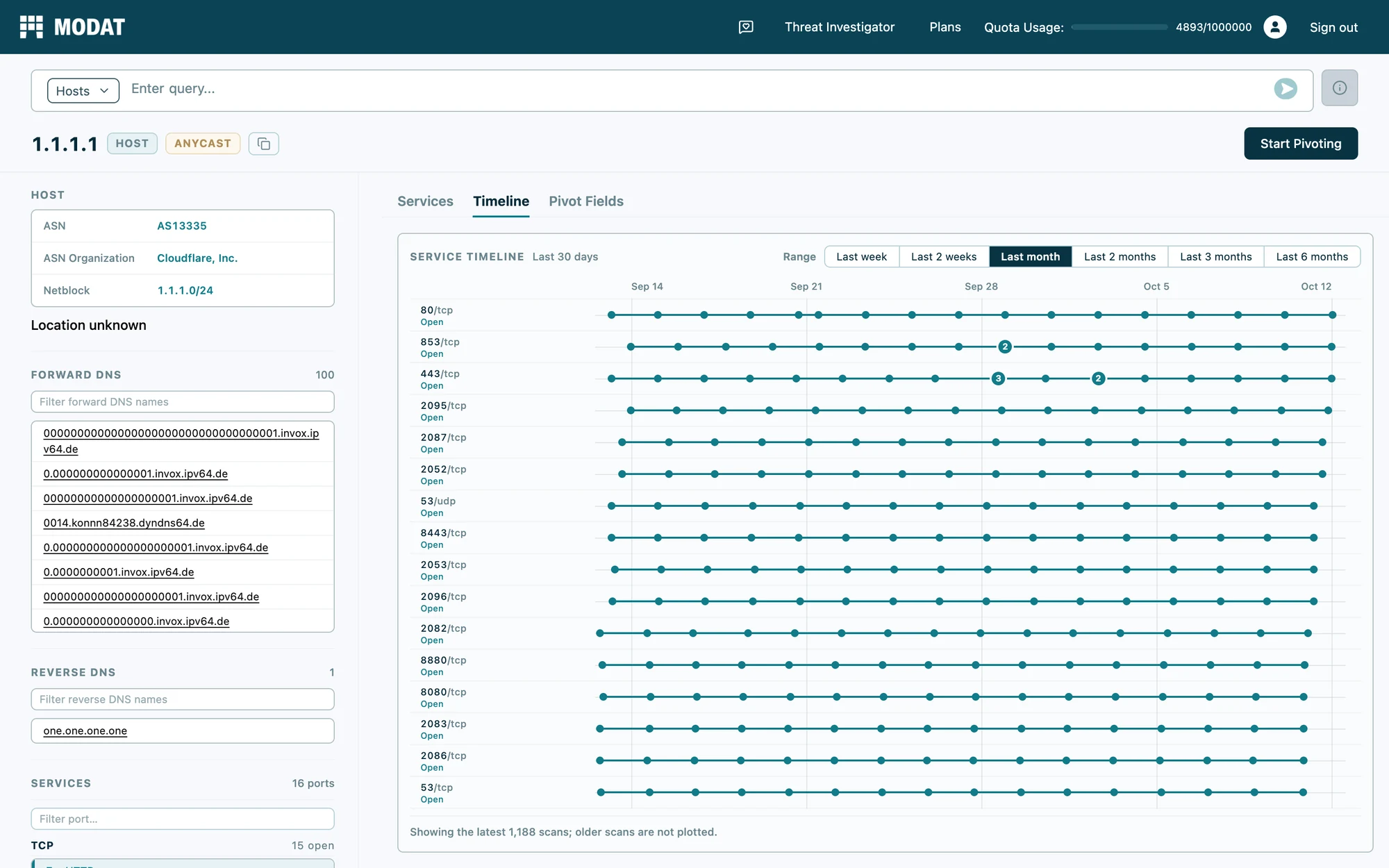
A new Timeline tab shows when each port was seen, with filters for Open and No longer seen. Hover over a point to see its scan date, and click it to jump straight to that scan in History.
Ports that have disappeared from a host now stay on the page, marked with the date they were last seen, with their own History and Changes. Hosts with no live services still show their past ports, so an IP that has gone quiet still tells you what it was running. Timeline, History and Changes also open on the widest date range your plan allows.
“A big part of every investigation is looking back: what did this host look like last month, when did that port close, where else does this certificate show up? Answering those questions used to take too many steps. So that’s where we spent the past few weeks, finding the slow parts and fixing them one by one.”
said Benjamin Versteeg, Head of Engineering at Modat.
Threat Investigator Saves Your Cases
Your Threat Investigator cases are now saved to your account. Close the tab, come back later, and pick up where you left off.
Your Exports and Credits in Your Profile
Your profile shows how many bulk export credits you have left and a list of your past exports. It also shows which export files you can still download and which have expired.
Build Your Own Results Table
Add any filterable field as its own column and compare results side by side. Click a value in a column to filter on it. Page buttons now also sit at the bottom of the results, so you don’t have to scroll back up.
Copy IPs With the Details You Need
When you copy IPs from the results, you can add details for each one. For hosts: organisation, ASN, country, city, open ports, tags and DNS names. For services: port, protocol, product, OS and technologies. Paste it straight into a spreadsheet or report.
See Who a Certificate Belongs To
The TLS table on a host’s Overview tab shows the certificate’s name (CN) and every other domain it covers (SANs), without opening the certificate. You can also break results down by certificate name.
See When a Host First Appeared
The host summary card shows the date we first saw the host, so you can spot new infrastructure at a glance.
Smaller Changes
- Right-click an IP in the search results to open it in a new tab. Your results stay where they are.
- Search terms with accents or non-Latin scripts, such as Cyrillic or Chinese, now work in queries.
New Protocols
Magnify now detects ICAP, which proxies use to send traffic to antivirus and content filters, and NTRIP casters, which stream GPS correction data. Both are also found over TLS, on every plan.
New Tags
Two new tags have been added:
- MLOps (Professional and Enterprise)
- PQC TLS (Enterprise)
All features are live on the platform now. Explore them at magnify.modat.io, read how to use them in the documentation, or reach out to the team at support@modat.io with any questions.