This release shortens the path from a single indicator to the infrastructure behind it, whether that indicator is a phrase, an IP address or a value pasted from a threat report. Here is what is new in Modat Magnify.
Free Text Search
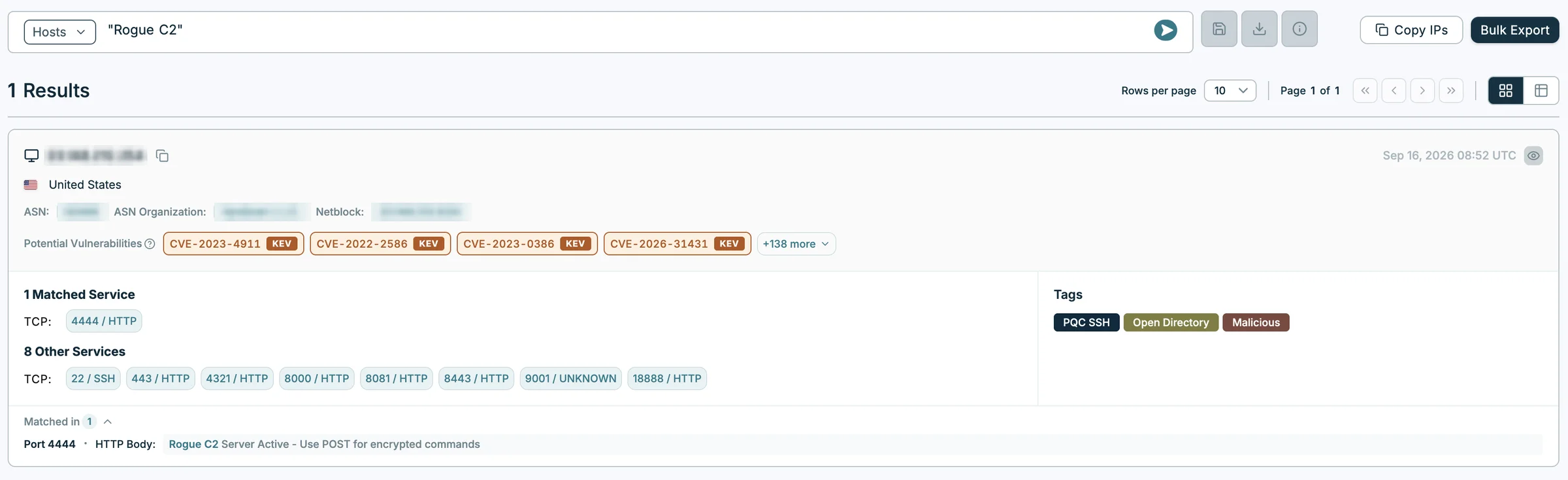
You can now search host and service data by typing a term on its own, with no field name. Magnify looks for it across 11 fields at once, including domains, page titles and content, headers, certificates, AS organisation and operating system.
Words typed without quotation marks are matched separately and may appear in different fields, while a quoted phrase must appear as written in a single field. In the web app, each result shows which field matched, with the term highlighted.
A Richer Host Detail View
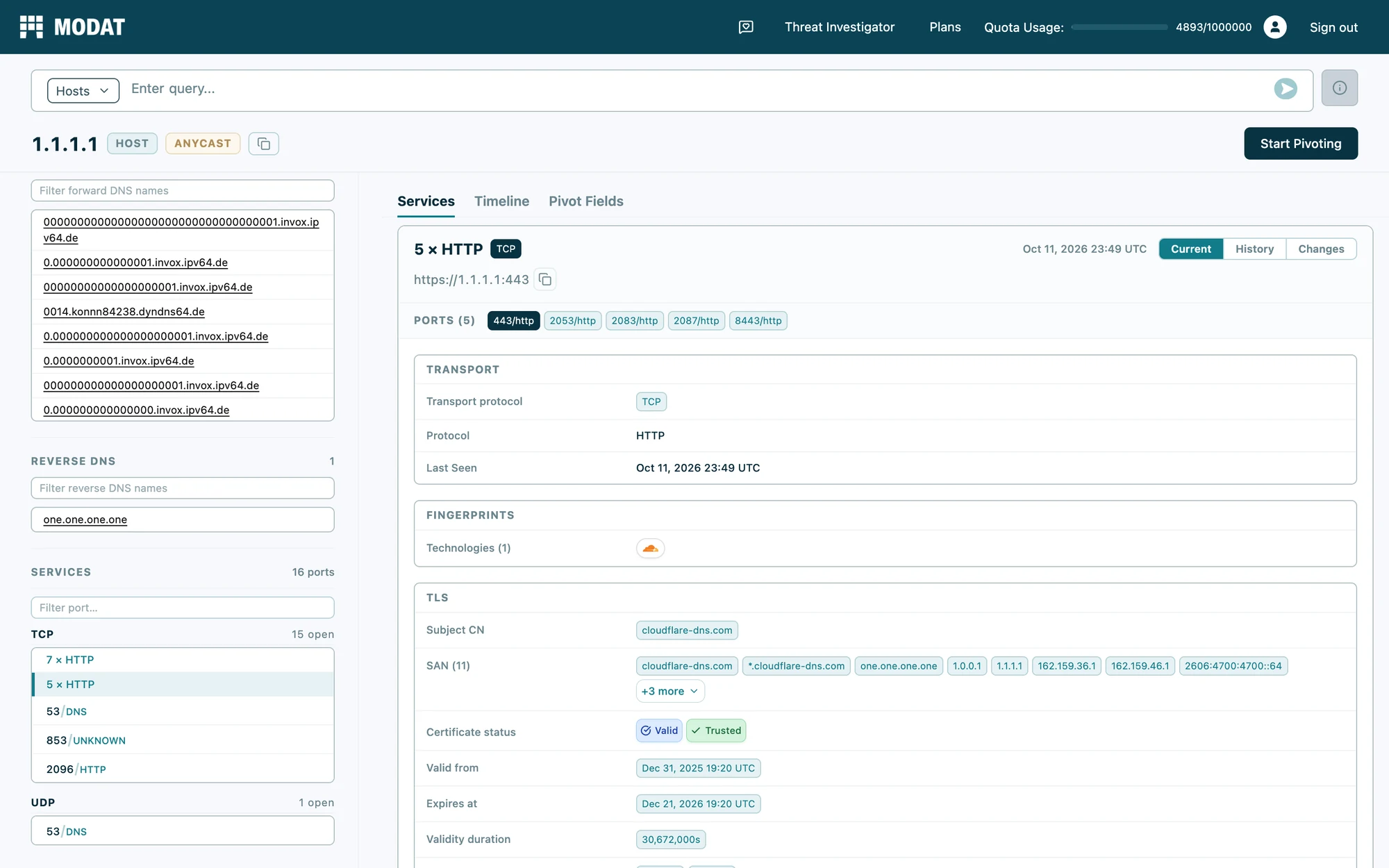
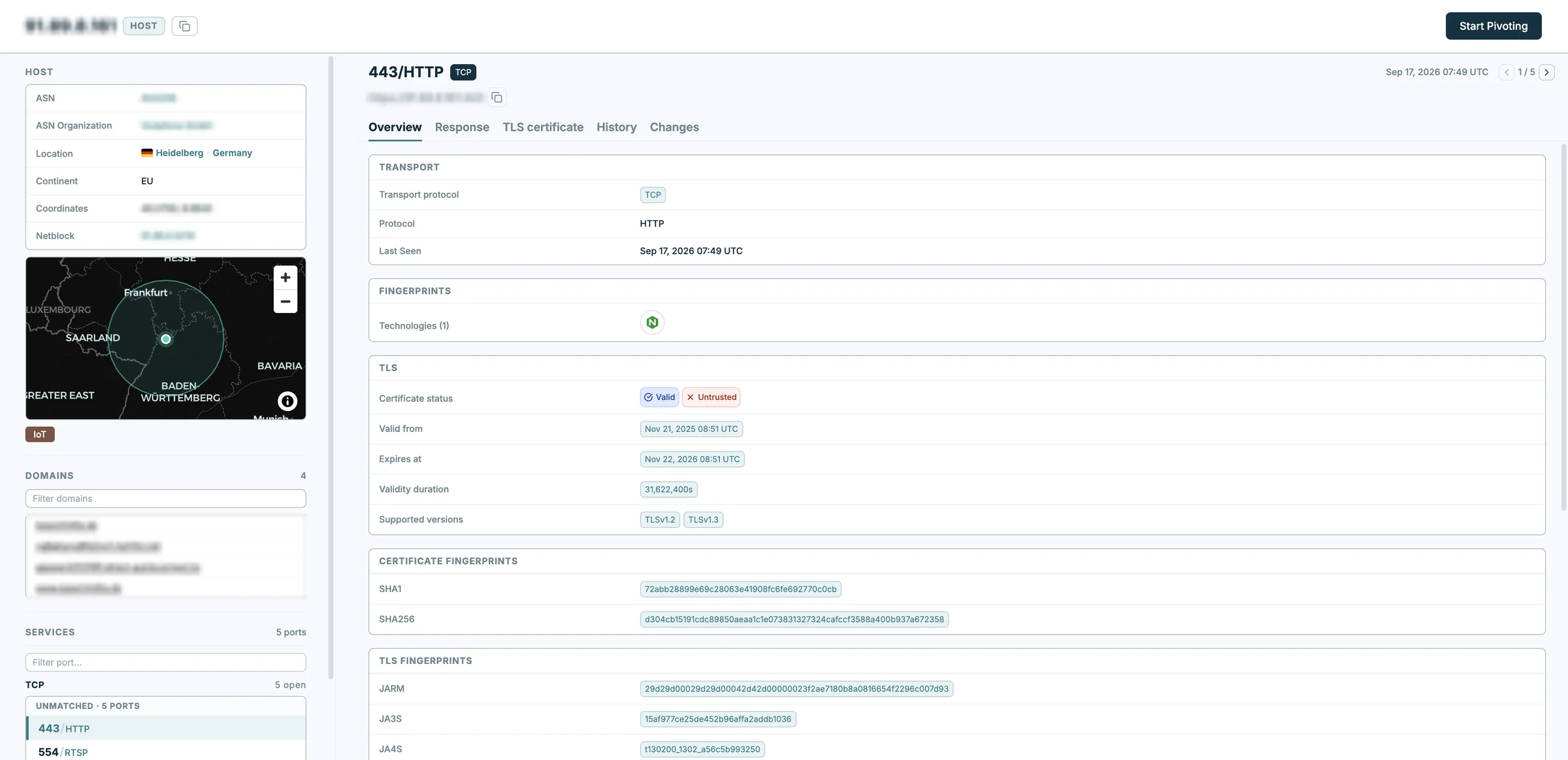
The host detail view brings everything held for an IP into one place, and now shows more of it. ASN, organisation, netblock and location are shown for any IP, even where no services have been detected, with a geographic map alongside. Response headers and the response body are combined into a single Response tab, and web services show their full URL in the port panel.
Facets in the Search Interface
Facets can now be chosen directly in the search interface on host and service search. Alongside the eight shown by default, you can add any of the full set of available facets, remove the ones you do not need, and drag them into the order that suits your workflow. This makes it easier to refine results without rewriting a query.
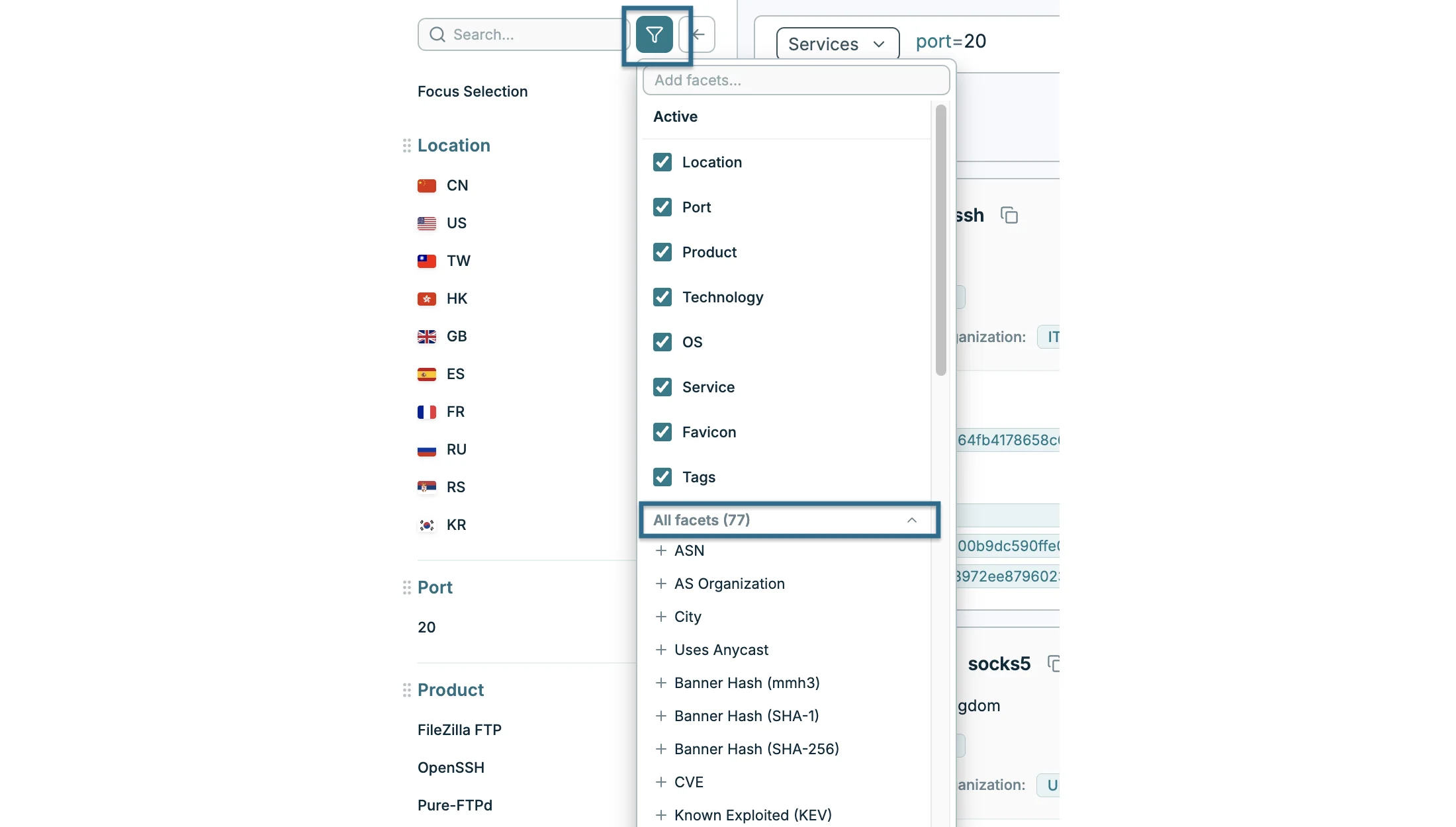
Bare IP Search Opens the Host Detail View
Entering an IP address on its own now takes you straight to the host detail view for that address, rather than to a results list with one row in it. This shortens the path from an indicator to the infrastructure behind it.
Grouped Values for Every Field
You can now list several values for a field in curly brackets instead of writing a chain of OR conditions. For example, port={80,443,8080} is shorthand for (port=80 OR port=443 OR port=8080), and port!={80,443,8080} excludes all three. This works on any field that supports exact match, at every search level, extending the multiple IP search syntax across the whole platform.
Defanged IP Addresses and Ranges
Defanged values now work wherever a value is an IP, a subnet or a domain, so indicators can be pasted straight from a threat report. ip=109[.]200[.]159[.]12 and subnet=109[.]200[.]159[.]0/27 both work, and curly brackets are accepted alongside square ones for domains and IPs alike.
Certificate Issuer and Subject as a Single String
Two new fields, tls.raw.issuer and tls.raw.subject, hold the full issuer and subject distinguished name, so you can match across several certificate components at once, or on the order they appear in. This is useful for fingerprinting infrastructure built with the same certificate tooling.
More Ways to Pivot
You can now pivot from a passive DNS A record directly into an IP’s host detail view, taking you from what a domain resolved to straight into what is running there (Enterprise). When pivoting with Add to Query or New Search, a checkbox lets you choose whether to carry the port and transport across with the value, or search it across every port.
WHOIS Lookups on a Subdomain (Enterprise)
Looking up WHOIS for a subdomain now resolves automatically to its registered domain, returning the record that exists rather than an empty result.
New Tools for the MCP Integration (Enterprise)
MCP gains detail lookups alongside search, so your assistant can pull a whole record in one call: every resource record held for a domain on the DNS side, and the full registration record behind a domain on the WHOIS side, where a subdomain resolves to its registered domain.
All features are live on the platform now. Explore them at magnify.modat.io, read how to use them in the documentation, or reach out to the team at support@modat.io with any questions.